How WhatsApp automation helps small businesses in India capture leads, book appointments, and follow up faster.
Small businesses in India receive enquiries through WhatsApp every day, but many leads are lost because replies are delayed, follow-ups are manual, and customer details stay scattered. Crescora AI helps turn those conversations into structured workflows for lead capture, booking, reminders, payments, support, and human handover.
Related rollout pages: Explore the WhatsApp workflow, pricing, template, and comparison pages to decide the best first automation for your business.
Workflow status model
Track the customer journey instead of relying on chat memory.
A practical WhatsApp workflow should show the state of each enquiry, booking, reminder, payment, or handover.
Visible stages
Operational states your team can act on
Article guide
Table of contents
Jump to the part of the article that matches your rollout question.
Article focus
Why small businesses in India need WhatsApp automation now.
Customers expect fast replies, clear next steps, and timely follow-ups. WhatsApp automation helps businesses respond faster, collect the right details, route serious enquiries, and reduce manual chasing across sales, bookings, payments, documents, and support.
Reader outcome
Learn what to automate first and how to start safely.
This guide explains the most practical WhatsApp automation workflows for Indian businesses: enquiry capture, lead qualification, appointment booking, payment reminders, document collection, support routing, and human handover.
Featured workflow example
Book more client projects from faster enquiry handling and follow-ups.
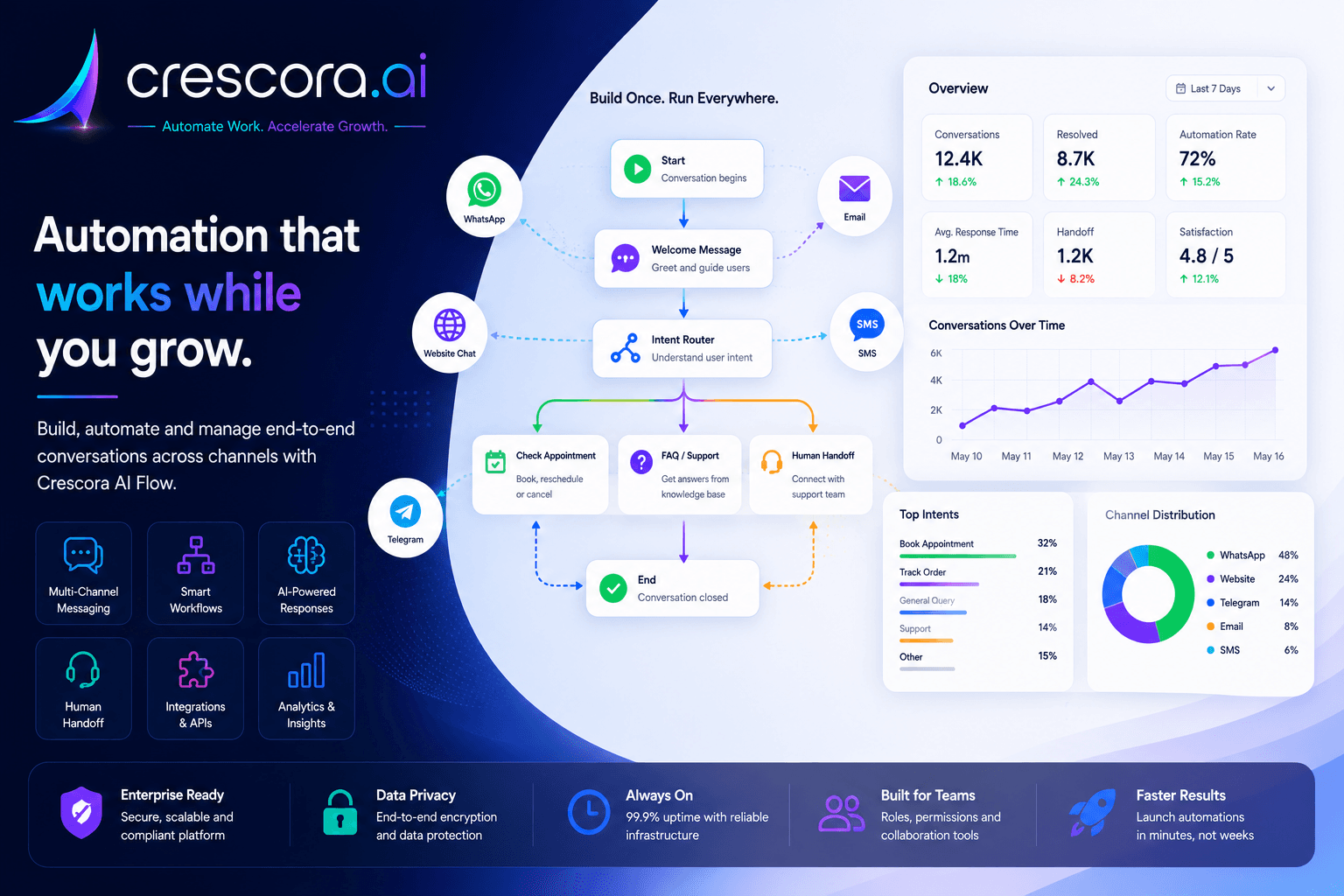
Use a practical workflow path that moves each WhatsApp conversation toward a business outcome instead of leaving the team to manage scattered chats manually.
Section
What WhatsApp automation means for small businesses
WhatsApp automation is not only about sending auto-replies. For a small business, it means turning customer conversations into a clear workflow.
The real value is not chatbot replies. The real value is fewer missed leads, faster follow-ups, better team visibility, and more completed customer actions.
- Reply instantly to new enquiries.
- Ask the right qualification questions.
- Collect customer details.
- Book appointments or callbacks.
- Send reminders and follow up on payments.
- Request missing documents and route complex cases to staff.
- Track every lead, booking, payment, or support request.
Section
Why WhatsApp automation matters for Indian businesses
Many Indian businesses already run customer communication on WhatsApp. The usual problem is not demand. It is a manual process with weak follow-up discipline.
Section
7 WhatsApp automation workflows small businesses should launch first
1. Lead capture automation
Ask for name, phone number, requirement, location, budget, urgency, and preferred callback time, then route the lead with context.
2. Appointment booking automation
Guide the customer through service selection, date preference, slot selection, confirmation, reminders, and rescheduling.
3. Payment reminder automation
Send due reminders, share payment links, collect transaction references, detect pending status, and escalate overdue cases.
4. Document collection automation
Request files, send missing-document reminders, track submission status, and route unclear documents for review.
5. Customer support automation
Answer common questions, capture issue details, route unresolved cases, and hand over conversations with context.
6. Human handover automation
Move urgent, sensitive, high-value, or unclear conversations to the right team with customer details and conversation history.
7. Follow-up and reminder automation
Send structured follow-ups after missed replies, demo requests, site visits, pending documents, payment steps, or support conversations.
Next step
Ready to move from WhatsApp chats to structured workflows?
Use a workflow template or a guided demo to identify the first high-friction WhatsApp process worth automating.
Section
Where WhatsApp automation helps most in India
Hospitals and clinics
Automate patient enquiries, OPD appointments, doctor availability, reminders, report status, consultation fee follow-up, and front-desk handover.
Real estate teams
Qualify property enquiries, collect budget and location, share project details, book site visits, assign sales reps, and follow up after visits.
Schools and coaching centers
Handle course enquiries, fee questions, demo class booking, admission follow-ups, document collection, and counsellor routing.
Diagnostics and labs
Notify patients about report readiness, collect report ID and mobile number, guide secure access, and route report-support cases.
Service businesses
Capture service requests, collect location and preferred time, confirm bookings, send reminders, follow up on payments, and collect feedback.
Insurance and finance services
Collect documents, answer policy or process questions, route cases to advisors, and follow up on pending paperwork.
Section
Example WhatsApp automation journey
The goal is not only to respond faster. The goal is to move every conversation toward a clear business result: qualified lead, booked appointment, completed payment, submitted document, resolved support case, or human handover.
- Customer Message
- Intent Capture
- Details Collection
- Lead / Booking / Payment / Support Path
- Reminder
- Human Handover
- Outcome Tracking
Section
Before WhatsApp automation vs after Crescora AI
Section
How small businesses should start with WhatsApp automation
Do not automate everything on day one. Start with one workflow that directly affects revenue or workload.
Start small, prove value, then expand into more workflows, channels, teams, integrations, and dashboards.
- Lead capture if you miss enquiries.
- Appointment booking if your team spends time coordinating slots.
- Payment follow-up if collections are delayed.
- Document collection if customers submit incomplete files.
- Customer support FAQ if staff repeat the same answers daily.
Section
What a good WhatsApp automation setup should include
Approved message templates
Messages outside the active conversation may require approved WhatsApp templates, language handling, variables, and clear fallback outcomes.
Human handover
High-value, urgent, unclear, or sensitive cases should move to a human team instead of forcing the workflow to guess.
Fallback channels
If WhatsApp delivery fails or the user is outside the active session, use approved templates, SMS, email, or staff handover depending on setup.
Status tracking
Track leads, appointments, payments, documents, and support cases from start to completion.
Privacy and safe analytics
Use business-safe properties, PII masking, dedupe keys, throttling, and non-blocking analytics instead of dumping raw sensitive conversation content into events.
Section
What to measure after launching WhatsApp automation
First response speed
How quickly customers receive a useful first reply.
Lead capture rate
How many conversations become structured leads.
Qualification rate
How many leads share enough details for sales or support.
Booking completion rate
How many enquiries become appointments, demos, visits, or callbacks.
Payment follow-up progress
How many pending payments move to paid, failed, overdue, or escalated status.
Handover quality
How many conversations reach staff with complete context.
Drop-off points
Where customers stop responding and need better follow-up.
Outcome visibility
How many conversations become qualified leads, bookings, payments, documents, support resolutions, or closed cases.
Related links
Related pages to explore next
Open the solution, workflow, template, pricing, or industry page that matches your next question.
WhatsApp Automation Workflows
Turn WhatsApp enquiries into lead capture, booking, reminder, payment, support, and handover workflows.
Explore WhatsApp AutomationWhatsApp Automation Template
Start from a pilot-ready WhatsApp workflow blueprint for leads, bookings, payments, support, and follow-ups.
View WhatsApp TemplateLead Capture Automation
Capture enquiries, qualify intent, and route serious leads to the right team.
See Lead Capture WorkflowPayment Follow-Up Automation
Send payment reminders, collect status, and escalate unresolved cases.
See Payment WorkflowBook Free Demo
Map your current WhatsApp process and identify the fastest automation to launch first.
Book Free DemoFAQ
Frequently asked questions
These answers cover the rollout questions buyers ask before they commit to a WhatsApp automation workflow.
What is WhatsApp automation for small businesses?
WhatsApp automation helps businesses respond to customer enquiries, collect details, send reminders, route requests, follow up on payments, and hand over complex conversations to staff.
Can WhatsApp automation replace my team?
No. The best automation supports your team by handling repetitive steps and routing complex, urgent, or high-value cases to humans.
Which WhatsApp workflow should I automate first?
Start with the workflow causing the most loss or manual work: missed leads, appointment booking, payment follow-up, document collection, or repeated support questions.
Can Crescora AI work beyond WhatsApp?
Yes. Crescora AI supports multi-channel workflows across web widget, WhatsApp, Telegram, email, SMS, template messages, notifications, APIs, records, and workflow runtime surfaces depending on rollout scope.
Can WhatsApp reminders be sent automatically?
Yes, depending on setup. For messages outside the active chat window, approved WhatsApp templates and fallback channels may be required.
Next step
Ready to automate your WhatsApp enquiries?
Tell us how your business currently handles WhatsApp leads, bookings, payments, documents, support questions, and follow-ups. We will map your workflow and show the fastest Crescora AI rollout path.
Start with one WhatsApp workflow. Prove value. Expand into more channels, teams, reminders, payments, and dashboards.
