Support

Automate routine chats, escalate critical conversations to humans

Chatbot automation should not trap customers in endless bot replies. Crescora AI helps businesses answer routine questions automatically, collect customer context, detect urgent or unresolved issues, and hand off the conversation to the right team when human support is needed.

Use this guide to understand when human handoff is needed, how escalation should work, and how queue operations, context transfer, and visibility stay connected.

Workflow status model

Track the customer journey instead of relying on chat memory.

A practical WhatsApp workflow should show the state of each enquiry, booking, reminder, payment, or handover.

Visible stages

Operational states your team can act on

Crescora AI
Intent Detected
Context Captured
Escalation Triggered
Queue Assigned
Agent Notified
Customer Updated
Outcome Tracked

Article focus

Human handoff prevents automation from becoming a dead end

A chatbot should handle routine work, but it should also know when to stop. When a customer is angry, confused, urgent, high-value, or asking something sensitive, the workflow should move the conversation to a human with full context.

Reader outcome

What a strong human handoff workflow should handle

A strong handoff workflow should detect escalation triggers, collect missing details, assign the case to the correct team, share conversation context, show expected response time, and track the final outcome.

Featured workflow example

Let AI handle routine chats. Let humans handle what matters most.

Crescora AI helps businesses automate first responses, collect customer details, classify intent, detect escalation needs, and transfer unresolved or sensitive conversations to the right team with context.
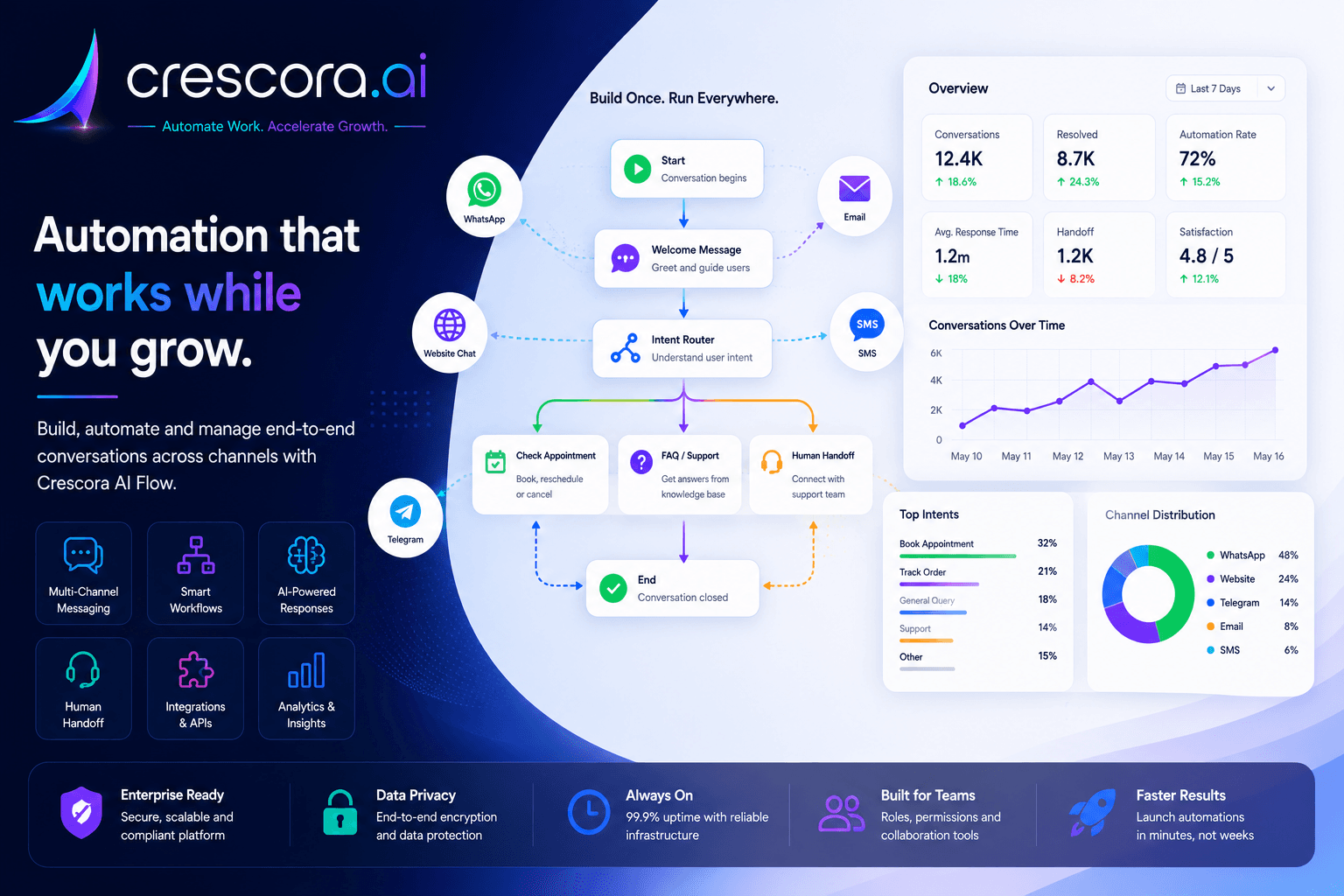
How to use human handoff in chatbot automation
Built for support, sales, healthcare, admissions, billing, real estate, and service teams that need speed without losing control.

Section

Why human handoff matters in chatbot automation

Automation improves speed, but not every conversation should stay with a bot. Customers lose trust when they cannot reach a person during urgent, sensitive, or complex situations.

Human handoff gives businesses the right balance: automate repetitive work, escalate exceptions, and keep customer experience under control.

Some conversations need judgment

Complaints, billing issues, medical concerns, admissions, high-value leads, and urgent support requests often need a trained person.

Customers get frustrated with endless bot loops

If the bot cannot answer confidently, the workflow should move the customer forward instead of repeating generic replies.

Teams need context before responding

A good handoff should include customer name, issue type, urgency, previous messages, selected options, and collected details.

Managers need visibility

Handoff tracking helps teams see escalation volume, response delays, overloaded queues, and unresolved customer journeys.

Section

How human handoff works in a chatbot workflow

1. Customer starts with automation

The chatbot greets the customer, understands the request, answers simple questions, and collects details such as name, phone number, service type, issue category, order ID, appointment ID, location, or preferred callback time.

2. AI detects the escalation need

The workflow identifies whether the issue is urgent, sensitive, unresolved, high-value, angry, payment-related, document-related, or outside the bot's approved answer scope.

3. The bot collects context before handoff

Before transferring the customer, the bot captures the key details the team needs so agents do not have to start from zero.

4. The conversation goes to the right queue

The workflow routes the case to sales, support, billing, admissions, front desk, emergency, insurance, technical support, or management review based on business rules.

5. The agent gets the conversation history

The human agent should see what the customer asked, what the bot answered, what details were collected, and why the case was escalated.

6. The customer gets a clear handoff message

The workflow should explain what happens next, which team is taking over, and what response time the customer can expect.

7. The outcome is tracked

Managers should be able to track assigned cases, queue status, response time, resolution status, and common escalation reasons.

Section

Sample human handoff workflow

A practical handoff path can look like this: Customer asks a question to AI identifies intent to bot answers or collects details to escalation trigger detected to case assigned to queue to agent sees full context to customer receives human response to outcome tracked.

This keeps automation useful without letting the chatbot become a dead end for urgent or complex cases.

Next step

Need a chatbot Workflow that escalates safely instead of guessing?

Start with clear escalation rules, queue ownership, and agent-ready context first, then expand into broader support, sales, or operational workflows.

Section

How Crescora AI connects human handoff to the full customer journey

Crescora AI is not just a chatbot reply system. It connects AI classification, guided questions, support queues, human handoff, conversation history, notifications, records, analytics, and governance into one controlled workflow.

Detect

Identify urgent, unresolved, angry, sensitive, high-value, or department-specific conversations.

Collect

Capture customer details before assigning the case to a human team.

Route

Send the request to sales, support, billing, admissions, front desk, insurance, emergency, or technical teams.

Notify

Alert the right team when a handoff is created or when response time is at risk.

Assist

Give agents the conversation history, collected details, and the reason for escalation.

Track

Measure handoff volume, team workload, response delays, unresolved cases, and customer drop-offs.

Section

Human handoff with control, not random escalation

A good chatbot should not escalate everything, and it should not automate everything. Crescora AI helps businesses define when automation should continue, when a human should take over, and what context should move with the conversation.

Clear escalation rules

Decide which intents, keywords, departments, risks, or failed answers should trigger handoff.

Team-based routing

Assign conversations to the correct queue using business rules, priority, skills, or department ownership.

Agent-ready context

Give staff the customer's issue, collected details, conversation history, and escalation reason.

Operational visibility

Track queue status, SLA risk, agent workload, unresolved cases, and support performance.

Related resources

Explore More Support Automation Resources

Open the next handoff, support, comparison, or pricing page for your escalation rollout.

Support Automation Solutions

Automate FAQs, triage, routing, customer updates, and human escalation across support workflows.

Explore Support Automation

Human Handoff Workflow Templates

Start with ready-to-customize Workflows for support, sales, billing, admissions, and urgent escalation paths.

View Handoff Workflow

Crescora AI vs Basic Chatbots

See why workflow automation is stronger than simple auto-reply bots when trust and escalation matter.

Compare Crescora AI

Customer Support Automation

Connect handoff with queue operations, agent visibility, and support outcome tracking.

Explore Support Solution

Pricing

See rollout options for support automation, escalation logic, and human handoff workflows.

View Pricing

FAQ

Frequently asked questions

These are the common questions businesses ask before adding human handoff to chatbot automation.

What is human handoff in chatbot automation?

Human handoff is the step where an automated conversation moves to a person when the customer needs judgment, approval, reassurance, or a more complex response than the bot should provide.

When should a chatbot escalate to a human?

Escalate when the issue is urgent, sensitive, high-value, unresolved, emotionally charged, payment-related, document-heavy, or outside the bot's approved answer scope.

What details should be passed during handoff?

At minimum, pass the customer's name, contact details, issue type, urgency, prior messages, collected data, and the reason the workflow triggered handoff.

Can Crescora AI route handoffs to different teams?

Yes. Crescora AI can route handoffs to support, sales, billing, admissions, front desk, technical, or management queues based on business rules and escalation logic.

How do managers know whether handoff is working?

Track handoff volume, queue ownership, first response time, unresolved cases, SLA risk, escalation reasons, and customer drop-off after transfer.

Next step

Ready to add human handoff to your chatbot workflow?

Use Crescora AI to automate routine conversations, collect customer context, route critical cases to the right team, and keep your business in control of every escalation.

For support teams, sales teams, hospitals, schools, real estate, diagnostics, agencies, and service businesses.
