Lead Gen

Turn website visitors and WhatsApp enquiries into qualified leads automatically

Most businesses lose leads because visitors leave the website without taking action, WhatsApp messages get delayed, and follow-ups depend on manual effort. Crescora AI captures enquiries from your website and messaging channels, qualifies the customer, stores lead details, alerts your team, and routes high-intent leads to the right person instantly.

Use this guide to understand why online leads are lost, how automatic lead capture works, and how website chat plus WhatsApp follow-up should connect.

Workflow status model

Track the customer journey instead of relying on chat memory.

A practical WhatsApp workflow should show the state of each enquiry, booking, reminder, payment, or handover.

Visible stages

Operational states your team can act on

Crescora AI
Visitor Captured
Qualified
Record Created
Team Notified
Follow-Up Scheduled
Handover Created
Tracked

What you'll learn

Why businesses lose online leads

Understand where website visitors, form enquiries, WhatsApp chats, and follow-ups drop off.

What you'll learn

How automatic lead capture works

See how AI workflows collect details, qualify intent, store records, and alert your team.

What you'll learn

How Crescora AI connects it

Learn how website chat, messaging channels, forms, notifications, records, and human handover work together.

Article focus

Your best leads are often lost before your team replies

A customer may visit your website, ask a question, compare your service, and leave within minutes. If your team does not capture the enquiry, qualify the need, and follow up quickly, that lead usually goes to a competitor.

Reader outcome

What a strong lead capture workflow should handle

A strong lead workflow should capture name, phone number, requirement, source, urgency, preferred service, budget or location if needed, then notify the right team and schedule follow-up without manual tracking.

Featured workflow example

Capture every enquiry. Qualify every lead. Follow up faster.

Crescora AI helps businesses turn website visitors and WhatsApp enquiries into structured leads. Capture customer details, understand intent, store the enquiry, notify your team, and route high-value leads to sales before they lose interest.
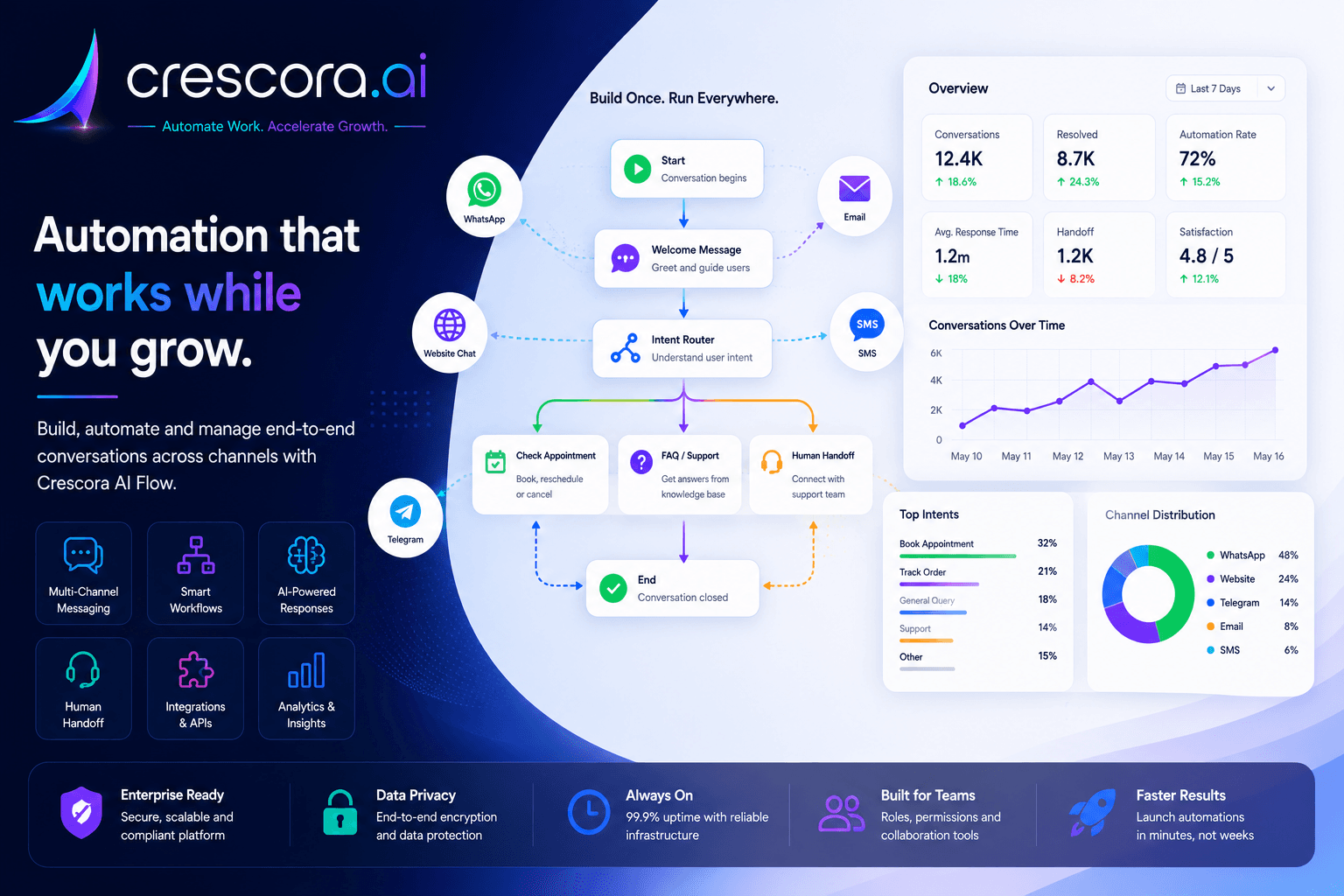
How to collect leads automatically from website and WhatsApp
Built for businesses that depend on fast response, clean lead tracking, and consistent follow-ups.

Section

Why businesses lose website and WhatsApp leads

Lead generation is not only about getting traffic. The real problem starts after a customer shows interest. If the enquiry is not captured, qualified, assigned, and followed up quickly, the business loses revenue even after spending money on ads, SEO, social media, and referrals.

Website visitors leave without sharing details

Many visitors check your services, pricing, location, or contact page but leave before filling a form.

WhatsApp messages are replied to late

When replies depend on manual staff availability, hot leads become cold before the team responds.

Lead details are scattered

Names, numbers, requirements, budgets, locations, and follow-up notes often stay across chats, calls, sheets, and memory.

No clear ownership

If the lead is not assigned to the right person, nobody knows who should call, when to follow up, or whether the customer converted.

Section

How automatic lead capture works

1. Capture enquiries from website chat

When a visitor lands on your website, Crescora AI can start a guided conversation instead of waiting for the visitor to fill a long form. The workflow can ask what they need, collect contact details, identify service interest, and save the enquiry as a lead.

2. Capture leads from WhatsApp enquiries

When a customer messages your business, the workflow can ask structured questions, understand the requirement, collect missing details, and route the enquiry instead of leaving it as an untracked chat.

3. Qualify lead intent automatically

Not every enquiry has the same priority. Crescora AI can classify leads based on requirement, urgency, service type, location, budget, appointment need, or callback preference so your team focuses on serious buyers first.

4. Store lead details in one place

The workflow can save lead information such as name, phone number, enquiry source, requirement, service interest, preferred time, and follow-up status instead of leaving it in screenshots or memory.

5. Notify the right team instantly

Once a lead is captured, the system can send alerts to the right person or team. High-intent leads can go to sales, appointment leads to front desk, admission leads to counsellors, and billing leads to support.

6. Automate follow-ups

If the customer does not respond, the workflow can trigger follow-up reminders, send service details, ask for callback timing, or move the lead to a human team for direct action.

7. Track lead outcomes

Crescora AI helps managers understand how many leads were captured, which source performed better, which leads were assigned, where customers dropped off, and which workflows need improvement.

Section

Website and WhatsApp lead workflow example

A practical lead workflow can look like this: Website visitor or WhatsApp enquiry to AI greeting to requirement capture to contact details to lead qualification to record created to team notified to follow-up scheduled to human handover if needed to outcome tracked.

This keeps the enquiry active instead of letting it disappear between chat windows, forms, calls, and team memory.

Next step

Need the fastest path to fewer lost enquiries?

Start with one lead capture workflow, prove the value, then expand into qualification, team routing, callbacks, booking prompts, and sales follow-ups.

Section

How Crescora AI connects website and WhatsApp lead capture

Crescora AI is not just a chat widget. It connects lead capture, AI intent detection, forms, records, notifications, team routing, follow-up reminders, human handover, and analytics into one controlled workflow.

Capture

Collect name, phone number, requirement, service interest, source, location, budget, and preferred callback time.

Qualify

Identify whether the lead is hot, warm, support-related, pricing-related, appointment-related, or needs human attention.

Store

Save the enquiry as a structured lead instead of leaving it buried in chat history.

Notify

Alert the right team instantly through configured channels and workflow notifications.

Assign

Route leads to sales, front desk, admissions, support, billing, or the correct business team.

Follow up

Trigger reminders, callbacks, payment nudges, booking prompts, or human handover when needed.

Section

Lead automation with control, not random bot replies

Lead capture should not feel robotic or uncontrolled. Crescora AI helps businesses define exactly what information to collect, when to ask follow-up questions, when to notify the team, and when to move the conversation to a human.

Human handover for serious leads

High-value, urgent, or complex enquiries can move to the right team with full context.

Clean lead records

Every enquiry can be stored with source, requirement, contact details, and status.

Multi-channel lead capture

Capture leads from website chat, WhatsApp-style messaging journeys, forms, and configured business channels.

Manager visibility

Track captured leads, missed follow-ups, team workload, drop-offs, and conversion opportunities.

Related resources

Explore More Lead Automation Resources

Open the next solution, template, comparison, or pricing page for your lead-capture rollout.

Lead Automation Solutions

See how Crescora AI captures, qualifies, routes, and tracks business enquiries.

Explore Lead Automation

Website Chatbot Templates

Start with ready-to-customize Workflows for enquiry capture, demo booking, pricing, and follow-ups.

View Templates

Crescora AI vs Basic Chatbots

Understand why workflow automation is stronger than simple auto-reply bots.

Compare Crescora AI

WhatsApp Automation

Capture, qualify, and follow up on customer enquiries across WhatsApp journeys.

Explore WhatsApp Automation

Pricing

See rollout options for lead capture, routing, and follow-up automation.

View Pricing

FAQ

Frequently asked questions

These are the common questions businesses ask before automating website and WhatsApp lead capture.

Can leads be captured automatically from a website?

Yes. A guided website chat or workflow can collect the enquiry, capture contact details, identify interest, and store the lead without waiting for a long form submission.

Can WhatsApp enquiries be turned into structured leads?

Yes. A workflow can ask structured questions, collect missing details, qualify intent, and route the enquiry instead of leaving it as an untracked chat.

What details should a lead workflow collect?

At minimum, collect name, phone number, requirement, source, urgency, preferred service, and the next action or callback preference. Budget or location can be added when needed.

Can Crescora AI notify the team automatically?

Yes. Once a lead is captured, Crescora AI can alert the right team, assign ownership, and trigger the next follow-up step depending on the workflow design.

Can follow-ups be automated too?

Yes. If the lead does not respond, the workflow can send reminders, share more information, schedule a callback, or move the case to a human team for direct action.

Next step

Ready to capture more leads automatically?

Use Crescora AI to capture website visitors, qualify WhatsApp enquiries, alert your team, and follow up faster before interested customers go cold.

For hospitals, schools, real estate, coaching centers, agencies, clinics, and service businesses.
