Support

Reduce support workload by automating repeated customer questions

Most support teams spend hours answering the same questions about pricing, timings, services, bookings, payments, documents, delivery, reports, policies, and status updates. Crescora AI helps businesses automate common FAQ responses, guide customers to the right next step, collect missing details, and escalate unresolved or sensitive cases to the right team.

Use this guide to understand where support teams lose time, how FAQ automation works, and how safe escalation should connect to the full support workflow.

Workflow status model

Track the customer journey instead of relying on chat memory.

A practical WhatsApp workflow should show the state of each enquiry, booking, reminder, payment, or handover.

Visible stages

Operational states your team can act on

Crescora AI
Question Received
Intent Matched
Answer Sent
Details Collected
Escalated
Team Notified
Tracked

What you'll learn

Why support teams get overloaded

Understand how repeated questions, manual replies, and scattered information slow down customer service.

What you'll learn

How FAQ automation works

See how knowledge-based answers, guided workflows, and fallback handling reduce repetitive support work.

What you'll learn

Where Crescora AI fits

Learn how FAQ automation connects with forms, records, notifications, human handover, and analytics.

Article focus

Repeated questions should not consume your best team hours

Customers often ask the same questions every day: pricing, availability, timings, documents, refund policies, service details, appointment status, and payment updates. FAQ automation answers routine questions instantly while keeping complex cases available for human support.

Reader outcome

What a strong FAQ support workflow should handle

A strong FAQ workflow should answer common questions, ask for missing details, route account-specific requests, detect unresolved issues, escalate sensitive cases, and help managers see what customers are asking most often.

Featured workflow example

Answer repeated questions instantly. Escalate only what needs a human.

Crescora AI helps businesses automate FAQ answers, guide customers through support steps, collect missing information, route unresolved cases, and reduce manual reply load across web and configured messaging channels.
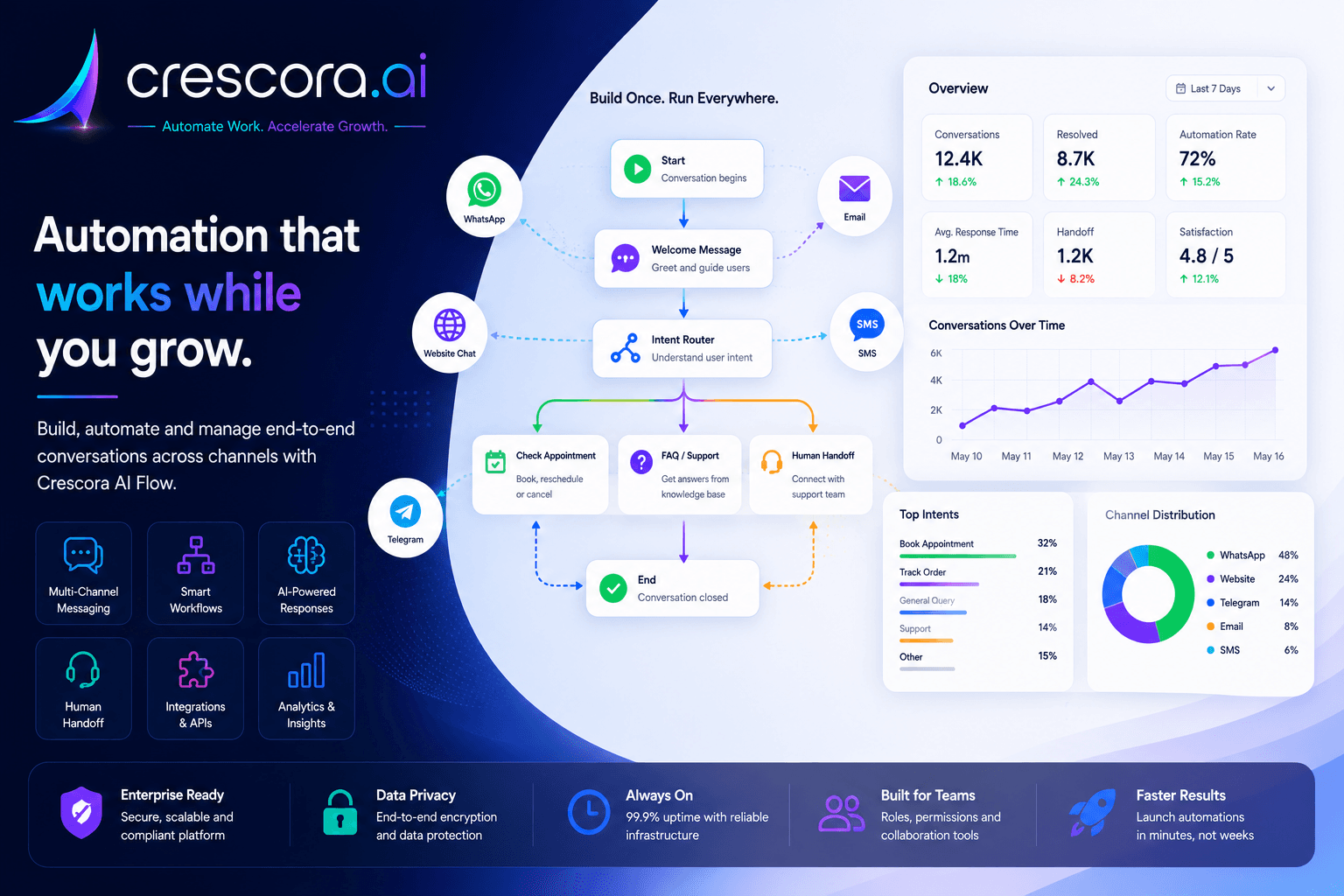
How to automate FAQs for business support
Built for support teams that need faster responses, fewer repeated questions, and better control over escalations.

Section

Why businesses need FAQ automation

Support teams do not lose time only because of complex issues. They lose time because the same simple questions keep coming again and again. When every repeated question depends on a manual reply, response time slows down, agents get overloaded, and customers wait longer than necessary.

Customers expect instant answers

If common questions are not answered quickly, customers may lose interest, complain, or move to another provider.

Support teams repeat the same replies daily

Pricing, timings, services, documents, booking steps, payment instructions, and policy questions consume valuable team time.

Knowledge is scattered across people and documents

When answers depend on one staff member's memory, customers receive inconsistent or incomplete responses.

Not every question should go to a human

Routine FAQs should be automated. Account-specific, sensitive, urgent, or unresolved cases should move to the right support team.

Section

How FAQ automation works in business support

1. Build a verified support knowledge base

Add approved answers for common customer questions such as service details, pricing, working hours, document requirements, booking steps, refund policy, payment instructions, and contact options so the workflow responds consistently.

2. Understand the customer question

When a customer asks a question, the workflow identifies whether it is a general FAQ, account-specific request, payment issue, booking question, complaint, or escalation case.

3. Answer routine questions instantly

For simple questions, the system gives a direct approved answer and guides the customer to the next step, such as booking, payment, form submission, document upload, callback, or support escalation.

4. Collect missing details before escalation

If the question needs context, the workflow can collect details like name, phone number, order ID, appointment ID, report ID, service type, location, issue category, or preferred callback time before routing to the team.

5. Escalate unresolved questions to human support

If the answer is not available, confidence is low, or the customer needs personal assistance, Crescora AI can route the conversation to a human team with the collected context.

6. Track repeated questions and knowledge gaps

Managers can identify which questions are asked most often, which answers fail, and where new knowledge articles or workflows are needed.

Section

Sample FAQ support workflow

A practical support FAQ workflow can look like this: Customer asks a question to AI checks the approved knowledge base to answer shown with next action suggested to missing details collected if required to unresolved case escalated to human support to team notified to outcome tracked.

This reduces repetitive reply load without forcing agents to keep answering the same questions manually across web chat, WhatsApp, and internal support queues.

Next step

Need the fastest path to fewer repeated support questions?

Start with approved FAQ answers, fallback collection, and escalation rules first, then expand into broader support routing, knowledge updates, and manager visibility.

Section

How Crescora AI connects FAQ automation to the full support journey

Crescora AI does more than answer FAQs. It connects knowledge-based answers with guided forms, support routing, team handover, notifications, records, analytics, and workflow governance so every customer question has a clear path.

Answer

Respond to common customer questions using approved business knowledge.

Guide

Move customers from an answer to the next action: booking, payment, document upload, callback, or support request.

Collect

Capture required details before involving a human team.

Route

Send billing, sales, admissions, reports, technical, or urgent cases to the right team.

Escalate

Move unresolved or sensitive cases to human support with context.

Improve

Track unanswered questions and improve the knowledge base over time.

Section

FAQ automation with control, not random AI replies

FAQ automation should not give uncontrolled answers. Crescora AI helps businesses use approved knowledge, safe fallback paths, human escalation, and workflow visibility so automation improves support without creating risk.

Approved business answers

Keep FAQ responses aligned with your services, policies, pricing rules, and support process.

Fallback for unknown questions

When the system cannot answer confidently, route the customer to a safer next step instead of guessing.

Human handover for complex cases

Escalate complaints, billing issues, account-specific requests, urgent cases, and sensitive topics to the right team.

Manager visibility

See which FAQs reduce workload, which questions remain unresolved, and where support processes need improvement.

Related resources

Explore More Support Automation Resources

Open the next support solution, template, comparison, or pricing page for your FAQ automation rollout.

Support Automation Solutions

Automate FAQs, support routing, ticket capture, customer updates, and human escalation.

Explore Support Automation

FAQ workflow Templates

Start with ready-to-customize support workflows for common questions, issue collection, and handover.

View FAQ Templates

Crescora AI vs Basic Chatbots

See why workflow automation is stronger than simple FAQ auto-replies.

Compare Crescora AI

AI Chatbot Solution

Connect FAQ automation with website chat, WhatsApp, forms, support logic, and human escalation.

Explore AI Chatbot Solution

Pricing

See rollout options for support FAQ automation, routing, knowledge operations, and handover workflows.

View Pricing

FAQ

Frequently asked questions

These are the common questions teams ask before automating business-support FAQs and repeated customer queries.

What is FAQ automation in business support?

FAQ automation answers repeated customer questions using approved business knowledge, guides customers to the right next step, and escalates unresolved issues to the support team when needed.

Which questions should be automated first?

Start with high-volume repeated questions such as pricing, timings, service details, booking steps, payment instructions, policies, and status updates.

Can the workflow collect customer details before escalation?

Yes. FAQ automation can collect details like phone number, order ID, appointment ID, issue category, or preferred callback time before routing the case to a human team.

What happens when the system cannot answer confidently?

A strong setup should use fallback paths instead of guessing. The workflow can ask clarifying questions, collect context, or move the case to the right support team with the conversation history.

How do managers improve the FAQ workflow over time?

Managers can review which questions are asked most often, where answers fail, which cases escalate, and where new knowledge entries or workflow rules are needed.

Next step

Ready to reduce repetitive support questions?

Use Crescora AI to automate common FAQs, collect customer details, route unresolved issues, and help your team focus on conversations that actually need human attention.

For hospitals, schools, real estate, coaching centers, diagnostics, agencies, ecommerce, and service businesses.
