Follow-up

Stop losing interested customers after the first enquiry

Most businesses capture enquiries but lose customers because follow-ups are delayed, forgotten, or handled manually. Crescora AI helps businesses automate enquiry follow-ups, send reminders, qualify intent, notify teams, route high-value leads, and track every customer journey from first message to final outcome.

Use this guide to understand why follow-ups get missed, how automated follow-ups work, and how records, scheduling, notifications, and handoff connect into one workflow.

Workflow status model

Track the customer journey instead of relying on chat memory.

A practical WhatsApp workflow should show the state of each enquiry, booking, reminder, payment, or handover.

Visible stages

Operational states your team can act on

Crescora AI
Enquiry Captured
Intent Qualified
Lead Assigned
First Reply Sent
Reminder Scheduled
Handover Created
Outcome Tracked

Article focus

The enquiry is only the start. Follow-up wins the customer

A customer may ask about pricing, availability, appointment slots, property details, admission process, packages, or service options. If your team does not follow up at the right time with the right message, that enquiry becomes a missed opportunity.

Reader outcome

What a strong follow-up workflow should handle

A strong follow-up workflow should capture the enquiry, understand customer intent, save lead details, assign ownership, send reminders, notify the team, recover inactive customers, and track whether the enquiry converted.

Featured workflow example

Turn every enquiry into a follow-up workflow

Crescora AI helps businesses capture customer enquiries, qualify intent, send timely follow-ups, notify the right team, schedule reminders, recover silent leads, and track outcomes across web and configured messaging channels.
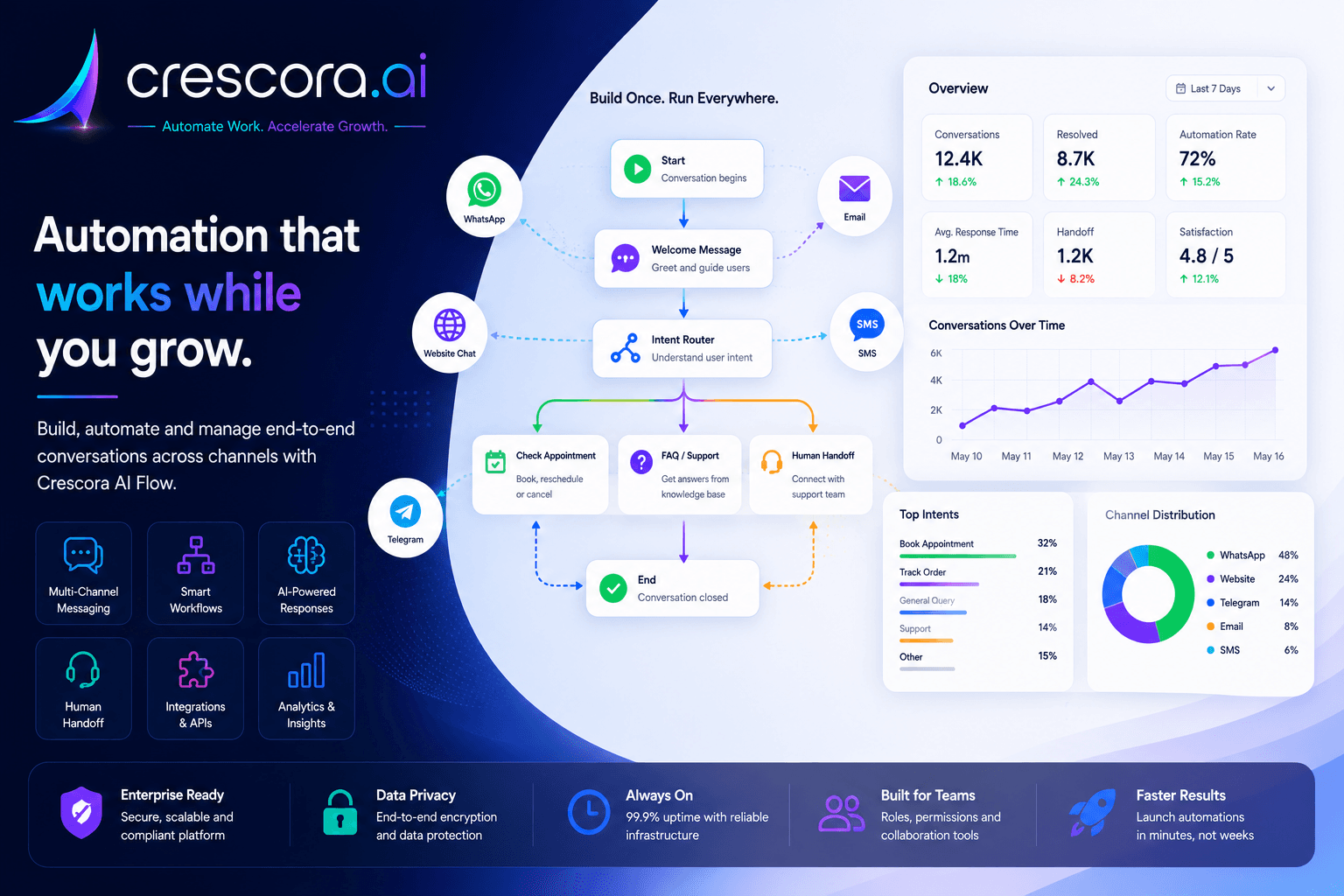
How to automate customer follow-ups after enquiry
Built for businesses that need faster response, cleaner lead tracking, and consistent follow-up discipline.

Section

Why customer follow-up automation matters

Many businesses already receive enquiries. The real problem is what happens after the first message. If the customer is not contacted at the right time, if the team forgets to follow up, or if ownership is unclear, the business loses revenue even after generating the lead.

Hot leads go cold quickly

When interested customers do not get timely follow-up, they compare other providers or stop responding.

Manual follow-ups are inconsistent

Teams may forget who needs a callback, who asked for pricing, who needs a reminder, and who should be escalated.

Lead ownership is unclear

If nobody knows who should call, when to call, and what the customer asked, follow-up quality drops.

Managers lack visibility

Without tracking, owners cannot see how many enquiries came in, how many were followed up, and where customers dropped off.

Section

How automated follow-ups work after an enquiry

1. Capture the customer enquiry

When a customer submits a website form, starts a chat, or sends a message, the workflow captures key details such as name, phone number, requirement, source, service interest, location, budget, preferred time, and urgency.

2. Qualify the customer intent

The workflow identifies what the customer wants: pricing, appointment, demo, admission, property visit, report status, package details, callback, payment help, or support.

3. Save the lead as a structured record

Instead of leaving the enquiry inside chat history, Crescora AI can store it as a structured lead with source, requirement, status, follow-up stage, and assigned team.

4. Send the first follow-up automatically

After the enquiry is captured, the workflow can send a confirmation or next-step message so the customer stays engaged while the team prepares to respond.

5. Notify the right team

The workflow can alert sales, front desk, admissions, support, billing, or operations teams based on the customer's requirement so high-intent leads do not wait in a general queue.

6. Schedule follow-up reminders

If the customer does not respond, the system can schedule reminders after a defined time or business window for hot leads, warm leads, payment-pending customers, appointment leads, or demo requests.

7. Recover silent customers

If the customer stops replying, the workflow can send a polite re-engagement message, offer callback options, or move the lead to a human team for direct action.

8. Track follow-up outcomes

Managers should know which leads were contacted, which responded, which were assigned, which converted, and which dropped off.

Section

Example customer follow-up workflow

A practical follow-up path can look like this: Customer enquiry to intent captured to lead record created to first reply sent to team notified to follow-up scheduled to customer responds or reminder sent to human handoff if needed to outcome tracked.

This creates a visible customer journey instead of relying on memory, scattered chats, or manual reminders.

Next step

Need follow-up automation that actually recovers lost enquiries?

Start with enquiry capture, reminder timing, assignment rules, and re-engagement logic first, then expand into broader lead recovery and conversion workflows.

Section

How Crescora AI connects the complete follow-up journey

Crescora AI is not just a reminder tool. It connects enquiry capture, AI intent detection, records, notifications, scheduling, team assignment, human handoff, and analytics so every customer enquiry has a clear next step.

Capture

Collect customer name, phone number, requirement, source, location, budget, service interest, and preferred callback time.

Qualify

Identify whether the enquiry is hot, warm, pricing-related, appointment-related, support-related, or needs human attention.

Assign

Route the enquiry to sales, support, front desk, admissions, billing, or the correct business team.

Follow up

Send timely reminders, callback prompts, payment nudges, booking reminders, or re-engagement messages.

Escalate

Move high-value, urgent, unresolved, or sensitive conversations to a human team with full context.

Track

Measure lead response, team follow-up, conversion, drop-offs, handoffs, and outcome performance.

Section

Follow-up automation with control, not message spam

Customer follow-up should feel helpful, not annoying. Crescora AI helps businesses define when to follow up, what message to send, which channel to use, when to stop, and when to involve a human.

Business-rule based follow-ups

Send different follow-ups based on enquiry type, lead stage, urgency, source, or customer response.

Human handoff for serious leads

Route high-value, urgent, or complex enquiries to the right team with context.

Clean lead history

Keep customer requirement, previous messages, follow-up status, and assigned owner in one workflow.

Outcome visibility

Track which follow-ups work, which leads convert, and where customers drop off.

Related resources

Explore More Lead and Follow-Up Automation Resources

Open the next lead, follow-up, comparison, or pricing page for your automation rollout.

Lead Automation Solutions

Capture, qualify, assign, follow up, and track customer enquiries automatically.

Explore Lead Automation

Follow-Up Workflow Templates

Start with ready-to-customize workflows for enquiry follow-ups, callbacks, reminders, and re-engagement.

View Templates

Crescora AI vs Basic Chatbots

See why workflow automation is stronger than simple auto-reply bots.

Compare Crescora AI

WhatsApp Automation Solutions

Connect enquiry capture, reminders, team routing, and human handoff across messaging workflows.

Explore WhatsApp Automation

Pricing

See rollout options for lead capture, reminder workflows, support routing, and follow-up automation.

View Pricing

FAQ

Frequently asked questions

These are the common questions businesses ask before automating customer follow-ups after enquiry.

Why do businesses lose customers after the first enquiry?

Because follow-ups are often delayed, forgotten, assigned unclearly, or handled manually across chats, calls, and spreadsheets. Automation creates a consistent next step for every enquiry.

What should an automated follow-up workflow capture first?

At minimum, capture the customer's name, contact details, requirement, source, urgency, preferred callback time, and the reason for the enquiry so the follow-up is relevant and trackable.

Can follow-up automation notify different teams?

Yes. A workflow can route leads to sales, front desk, admissions, support, billing, or another team based on intent, priority, or business rules.

What happens if the customer stops replying?

The workflow can schedule reminders, send a re-engagement message, offer callback options, or escalate the lead to a human team for direct action.

How do managers know whether follow-ups are working?

Track response rates, reminder completions, assigned leads, converted enquiries, drop-offs, handoffs, and time-to-follow-up after the first message.

Next step

Ready to automate customer follow-ups after every enquiry?

Use Crescora AI to capture enquiries, qualify customer intent, schedule follow-ups, notify your team, recover silent leads, and track every outcome from first message to conversion.

For hospitals, schools, real estate, coaching centers, diagnostics, clinics, agencies, ecommerce, and service businesses.
